
Why “lifting and shifting” legacy Pega applications isn’t enough—and how a strategic UI refactor delivers massive ROI for financial institutions.
In the race for digital transformation, many banks are finding themselves weighed down by the very tools meant to speed them up.
I remember sitting in a conference room with a banking CIO back in 2018. We were celebrating the launch of a massive Pega 7 application. At the time, it was state-of-the-art. But fast forward to a meeting I had just last month, and the tone was different. That same application, now patched and customized a dozen times over, had become the bottleneck. “It works,” the CIO told me, “but it takes my team three months to train a new hire on how to use it.”
If your organization has been running Pega for 5+ years, you are likely sitting on a powerful engine trapped inside a rusted chassis. We see this constantly in the Banking and Financial Services sector: core applications that are technically functional but operationally expensive.
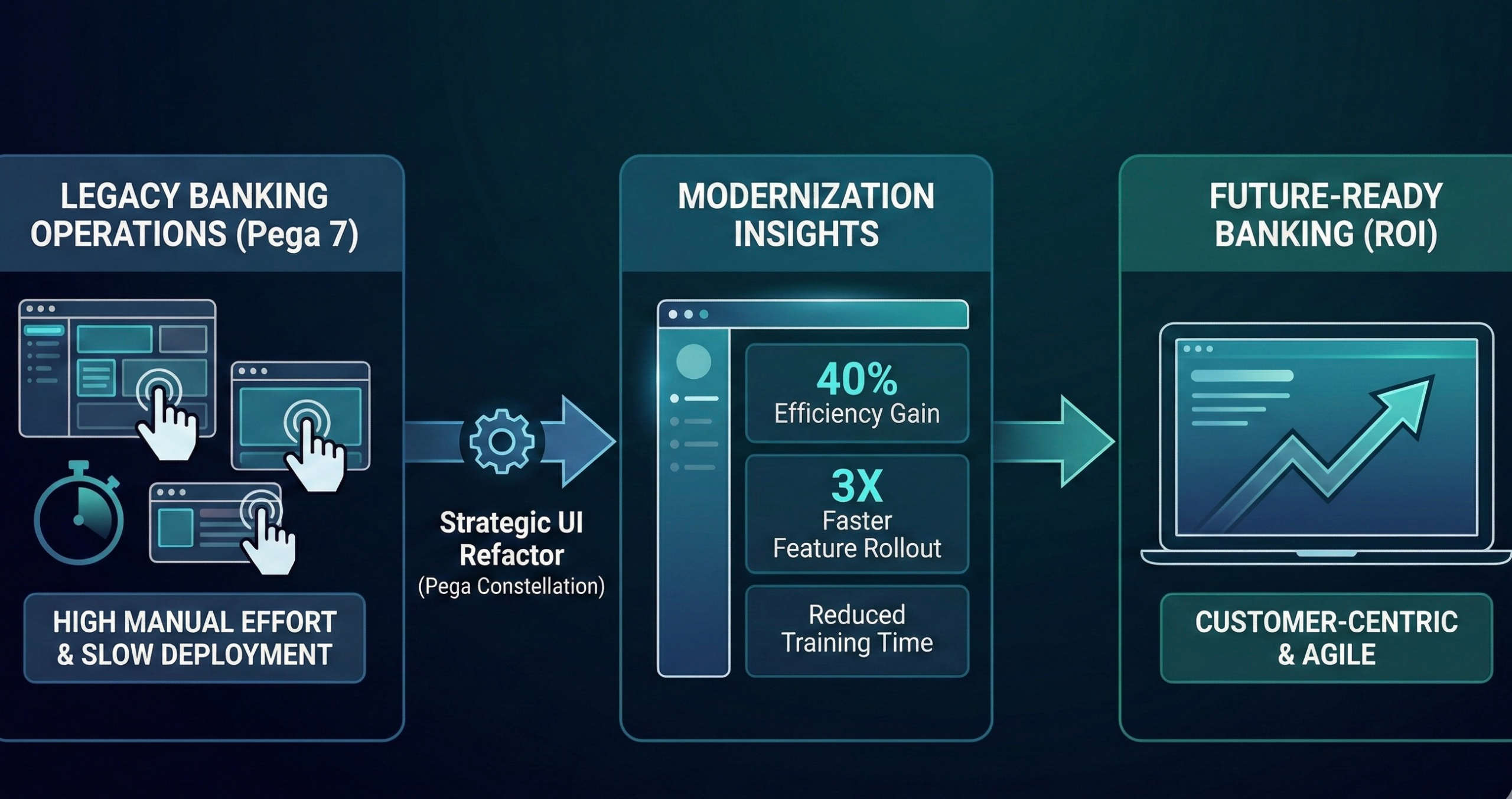
Recently, we analyzed a modernization initiative for a regional financial services provider where the goal wasn’t just technical compliance, but operational survival. By refactoring their legacy “Heritage” UI into the modern Pega Constellation architecture, we didn’t just improve the look and feel; we cut manual processing effort by 40%.
Here is how we approached the problem and the business case for making the switch.
The Challenge: The “Swivel-Chair” Effect in Legacy Banking
The client was operating a critical Customer Service and Loan Servicing application built originally on Pega 7. Over the years, it had accumulated significant technical debt.
I spent a few days actually sitting with the bank tellers to watch them work – something I recommend every architect do at least once a year. What I saw was painful. To process a simple loan modification, the agent had to keep three different tabs open and copy-paste data between screens because the Pega UI didn’t naturally flow with the conversation they were having with the customer.
The technical debt was visible in three areas:
- Bloated UI: Screens were packed with irrelevant fields “just in case” they were needed.
- Slow Onboarding: New bank tellers took weeks to learn the navigation quirks.
- High Maintenance: Every small change required deep regression testing.
The Solution: Strategic Refactoring with Constellation
When we sat down to plan the upgrade, the initial instinct from the IT team was to just “lift and shift” i.e., keep the code as-is but run it on the newer cloud infrastructure.
We had to push back hard in that strategy session. We asked them, “Do we want to migrate the inefficiency to the cloud, or do we want to solve it?”
We pivoted to a holistic Pega Modernization and Implementation Rescue strategy. We chose to move to Pega Constellation, Pega’s modern, prescriptive design system.
Here is why this made the difference:
1. Decoupling Logic from Design: In Heritage Pega, the UI and the logic are often intertwined. I’ve lost count of how many times I’ve seen a business rule break because someone tried to change the color of a button in a custom HTML section. In Constellation, they are distinct. We stripped away the custom code and replaced it with standardized, API-driven views.
2. Center-out Business Architecture: We realigned the workflow to focus on the intent of the banking customer. By using Pega’s prescribed patterns, we reduced the number of screens an agent had to navigate to complete a transaction from 12 screens down to just 4.
3. Enabling “Agentic” Capabilities: With a cleaner architecture, we could overlay intelligent automation. The new UI surfaces “next-best-action” suggestions clearly, allowing agents to make decisions faster without hunting for data.
The Results: 40% Efficiency Gain
The move to Constellation wasn’t just an aesthetic upgrade; it was a productivity revolution.
- 40% Reduction in Manual Clicks: By utilizing Constellation’s efficient layouts, the physical effort to process a case dropped by nearly half.
- 3X Faster Feature Deployment: IT can now roll out compliance updates in days rather than weeks.
- User Feedback: The best feedback didn’t come from the metrics, though. It came from a senior loan officer who told me, “For the first time in five years, I don’t feel like I’m fighting the system to do my job.”
The Strategic View: Why Modernize Now?
For banks operating in today’s rapid global digital economy, sticking with Heritage Pega is a liability.
The push for cloud migration (to AWS or GCP) and the universal mandate for operational excellence demand agility. You cannot be agile if your core systems are brittle.
Conclusion: The Cost of Waiting vs. The Value of Action
Modernization is not just about keeping the lights on; it’s about making the light brighter while using less energy.
In my 15 years working with Pega, I’ve learned that the risk isn’t in changing your core systems – the risk is in leaving them alone. Every day a legacy application runs without optimization is a day of lost efficiency.
You don’t need to navigate this transition alone. Whether you need a full implementation rescue or a strategic roadmap to the cloud, the goal remains the same: Build Smarter, Automate Faster.